-
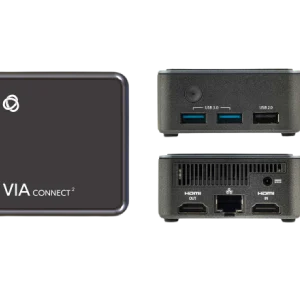
Kramer VIA Connect² Wireless Presentation and Collaboration System
The Kramer VIA Connect² is a wireless presentation and collaboration system with Miracast™ and AirPlay™ sharing, video conferencing support, and local video streaming to large displays. It also supports third-party web applications, a switched wired input, security features, and centralised cloud management.
KSh 0.00Chat Us to Order -
Driverless HDMI Dongle for Aircast Pro 2
The Driverless HDMI Dongle for Aircast Pro 2 supports compatible wireless collaboration workflows with a driverless setup. Additionally, it provides a convenient connection option for supported presentation and meeting environments
KSh 69,500.00KSh 73,500.00Chat Us to OrderDriverless HDMI Dongle for Aircast Pro 2
KSh 69,500.00KSh 73,500.00 -
Driverless Type C Dongle for Aircast Pro 2
The Driverless Type-C Dongle for Aircast Pro 2 provides USB Type-C connectivity for compatible wireless collaboration systems. Additionally, its driverless operation helps simplify setup for supported devices and presentation workflows.
KSh 69,500.00KSh 72,500.00Chat Us to OrderDriverless Type C Dongle for Aircast Pro 2
KSh 69,500.00KSh 72,500.00 -
Driver-Based HDMI Dongle for Aircast Pro 2
The Driver-Based HDMI Dongle for Aircast Pro 2 provides HDMI connectivity for compatible wireless collaboration systems. Additionally, it supports driver-based operation for suitable presentation and meeting setups.
KSh 69,500.00KSh 72,500.00Chat Us to OrderDriver-Based HDMI Dongle for Aircast Pro 2
KSh 69,500.00KSh 72,500.00 -
Driver-Based Type-C Dongle for Aircast Pro 2
The Driver-Based Type-C Dongle for Aircast Pro 2 provides USB Type-C connectivity and driver-based operation for compatible wireless collaboration systems. It is suitable for supported presentation and meeting environments.
KSh 69,500.00KSh 72,500.00Chat Us to OrderDriver-Based Type-C Dongle for Aircast Pro 2
KSh 69,500.00KSh 72,500.00 -
Dongle for Aircast AC and Aircast Pro – Type A / Type C
The Aircast AC and Aircast Pro Dongle offers Type-A or Type-C connectivity for compatible wireless collaboration systems. It provides a convenient connection option for meetings, presentations, and professional workspaces.
KSh 48,500.00KSh 52,000.00Chat Us to OrderDongle for Aircast AC and Aircast Pro – Type A / Type C
KSh 48,500.00KSh 52,000.00 -
All-in-One Dongle for Aircast AC and Aircast Pro – HDMI, Type-C and Type-A
The Aircast All-in-One Dongle supports HDMI, USB Type-C, and USB Type-A connection options. Additionally, it is designed for compatible Aircast AC and Aircast Pro wireless collaboration systems, making it suitable for meetings and presentations.
KSh 48,500.00KSh 52,300.00Chat Us to OrderAll-in-One Dongle for Aircast AC and Aircast Pro – HDMI, Type-C and Type-A
KSh 48,500.00KSh 52,300.00 -
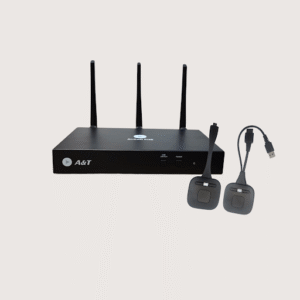
4K Wireless Collaboration Device with Single Dongle – BYOD, BYOM and Dual HDMI Output
The 4K Wireless Collaboration Device supports BYOD, software-based BYOM, and up to four multiscreen display sources. It includes a single Type-C or HDMI dongle option, dual HDMI outputs, a host port, and dual-display support.
KSh 301,500.00KSh 350,500.00Chat Us to Order4K Wireless Collaboration Device with Single Dongle – BYOD, BYOM and Dual HDMI Output
KSh 301,500.00KSh 350,500.00 -
4K Wireless Collaboration Device with Dual Dongle – BYOD, BYOM and Dual HDMI Output
The 4K Wireless Collaboration Device supports BYOD, software-based BYOM, and up to four multiscreen display sources. It features Type-C and HDMI dongle options, driver-based or driverless connection modes, dual HDMI outputs, a host port, and dual-display support.
KSh 330,500.00KSh 350,000.00Chat Us to Order4K Wireless Collaboration Device with Dual Dongle – BYOD, BYOM and Dual HDMI Output
KSh 330,500.00KSh 350,000.00 -
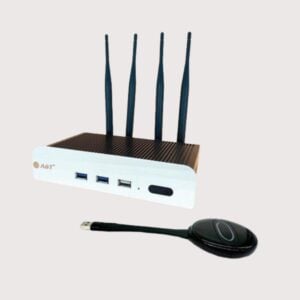
Wireless Collaboration Device with All-in-One Dongle – BYOD, BYOM and 9 Multiscreen Display
The Wireless Collaboration Device supports BYOD, BYOM, and up to nine multiscreen display sources. It includes an all-in-one dongle with Type-A, Type-C, and HDMI connections, plus dual HDMI outputs for compatible displays.
KSh 2,488,000.00KSh 2,500,000.00Chat Us to OrderWireless Collaboration Device with All-in-One Dongle – BYOD, BYOM and 9 Multiscreen Display
KSh 2,488,000.00KSh 2,500,000.00 -
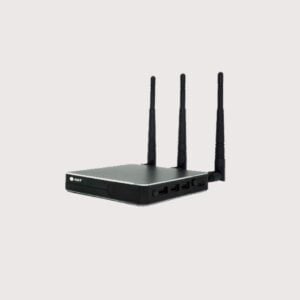
Wireless Collaboration Device – 4-Quadrant BYOD Screen Sharing System
The Wireless Collaboration Device – 4-Quadrant BYOD supports wireless content sharing for meetings, presentations, and collaborative work. Its 4-quadrant feature is designed for displaying multiple content sources on one screen, subject to device capabilities
KSh 82,999.00KSh 85,000.00Chat Us to OrderWireless Collaboration Device – 4-Quadrant BYOD Screen Sharing System
KSh 82,999.00KSh 85,000.00 -
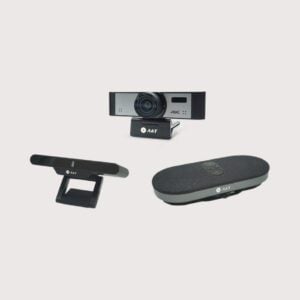
4K Wireless Screen Casting and Conference System with AI Camera
The 4K Wireless Screen Casting and Conference System combines a 4K UHD camera, 120-degree field of view, 8X digital zoom, AI auto framing, and AI speaker tracking. It also features an 8-microphone array, AI sound optimisation, 3W speaker output, and an HDMI receiver. Ideal for huddle rooms and small conference rooms.
KSh 165,780.00KSh 170,000.00Chat Us to Order4K Wireless Screen Casting and Conference System with AI Camera
KSh 165,780.00KSh 170,000.00
Wireless Collaboration Devices
Smart Boards Kenya offers wireless collaboration devices designed to make meetings, presentations, and classroom activities more interactive and efficient. These solutions allow users to share content from compatible laptops, tablets, and smartphones to interactive displays, projectors, and meeting room screens without relying on a direct video cable for every presentation.
Whether you are equipping a corporate boardroom, school, university, training centre, or hybrid meeting space, wireless collaboration devices help participants share ideas, present documents, and work together more conveniently.
Features such as screen mirroring, multi-user sharing, touchback control, annotation, and video conferencing integration vary by device and connected equipment.
Benefits of Wireless Collaboration Devices
- Wireless screen sharing: Present content from compatible laptops, tablets, and smartphones.
- Improved meeting efficiency: Reduce delays caused by repeatedly connecting and disconnecting presentation cables.
- Enhanced classroom interaction: Enable teachers and learners to share content during lessons and group activities.
- Multi-user collaboration: Selected devices allow multiple participants to share their screens or switch presenters.
- Flexible connectivity: Support different operating systems and devices, depending on the model.
- Cleaner meeting spaces: Reduce the need for multiple presentation cables across conference tables.
- Support for hybrid meetings: Selected solutions integrate with compatible video conferencing and collaboration platforms.
Types of Wireless Collaboration Devices
Wireless Presentation Systems
Allow users to present content from compatible devices to a shared display. Depending on the model, connection may use a dedicated transmitter, application, browser, or native wireless display feature.
Wireless Screen Sharing Devices
Enable screen mirroring or content sharing from supported computers and mobile devices to a compatible display or projector.
Wireless Presentation Dongles
Compact transmitters or receivers designed to simplify presentation connections. Compatibility, supported operating systems, and video capabilities vary by model.
Multi-User Collaboration Systems
Support screen sharing by multiple presenters, with selected systems offering split-screen display, presenter management, or moderation controls.
Wireless Collaboration Systems for Interactive Displays
Allow compatible devices to share content with interactive whiteboards and flat-panel displays. Certain systems support touchback or annotation, subject to device and software compatibility.
Wireless Meeting Room Systems
Provide wireless content sharing for boardrooms and conference rooms, sometimes integrating with room control and conferencing equipment.
Where Can You Use Wireless Collaboration Devices?
- Corporate boardrooms: Share presentations, spreadsheets, and documents from meeting participants’ devices.
- Schools and universities: Support interactive lessons, classroom presentations, and collaborative learning.
- Conference rooms: Simplify presentations for staff meetings, client demonstrations, and workshops.
- Training centres: Allow trainers and participants to share learning materials conveniently.
- Government and institutional offices: Facilitate presentations and collaboration within approved IT environments.
- Hybrid meeting spaces: Support content sharing alongside compatible video conferencing systems.
- Hotels and event venues: Provide convenient presentation connectivity for meeting and conference guests.
How to Choose the Right Wireless Collaboration Device
Before purchasing, consider the following:
- Device compatibility: Confirm support for Windows, macOS, Android, iOS, or other required platforms.
- Display connectivity: Check whether the receiver connects through HDMI, USB, USB-C, or another supported interface.
- Wireless network requirements: Determine whether the system uses an existing Wi-Fi network, a dedicated wireless connection, or a direct connection between devices.
- Number of simultaneous presenters: Choose a system that supports the number of users expected in your meetings or classrooms.
- Resolution and performance: Verify supported output resolution, refresh rate, latency, and video quality.
- Touchback and annotation: If you use an interactive display, confirm whether the solution supports touch control or annotation and whether additional software is required.
- Security: Look for suitable authentication, access management, encryption, and network configuration options.
- Video conferencing compatibility: Check whether the system supports your preferred meeting platform and whether it shares content only or also supports camera and audio integration.
- Installation and support: Consider room size, network coverage, user training, and ongoing maintenance.
Why Buy Wireless Collaboration Devices from Smart Boards Kenya?
Smart Boards Kenya helps schools, businesses, institutions, and AV integrators identify wireless presentation and collaboration solutions suited to their environments.
- Options for boardrooms, classrooms, conference rooms, and training facilities.
- Solutions for compatible laptops, mobile devices, projectors, and interactive displays.
- Guidance on wireless connectivity, device compatibility, and installation requirements.
- Product options subject to availability and individual model specifications.
Contact Smart Boards Kenya
- Website: https://smartboards.co.ke
- Email: sales@smartboards.co.ke
- Phone/WhatsApp: +254 751 626 694
Contact our team for product recommendations, current availability, and quotations for your wireless collaboration setup.
Frequently Asked Questions
What is a wireless collaboration device?
A wireless collaboration device enables users to share content from compatible computers or mobile devices to a common display without requiring a direct video cable for each presenter.
Can wireless collaboration devices work with interactive whiteboards?
Yes. Compatible systems can share content to interactive displays. Features such as touchback and annotation depend on the specific device, display, and software.
Do wireless presentation systems require Wi-Fi?
Requirements vary. Some devices use an existing wireless network, while others establish a dedicated connection or use a separate receiver and transmitter.
Can multiple users share their screens?
Some systems support multiple presenters, split-screen layouts, or managed switching between users. Confirm the number of supported users and simultaneous screens before purchasing.
Are wireless collaboration devices suitable for schools and businesses?
Yes. They can support classroom teaching, boardroom presentations, workshops, training, and collaborative meetings when selected for the environment and required security controls.
Where can I buy wireless collaboration devices in Kenya?
Contact Smart Boards Kenya through smartboards.co.ke, sales@smartboards.co.ke, or +254 751 626 694 to enquire about suitable models, availability, and pricing.