-
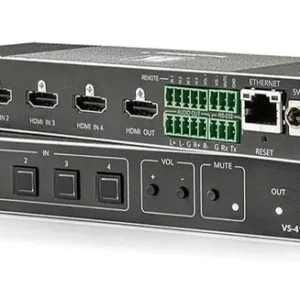
Kramer VS-411XS 4×1 Plug-and-Play Switcher with Maestro Room Control
Kramer VS-411XS 4×1 switcher with built-in Maestro room control, an intelligent IP-driven control gateway, and support for resolutions up to 4K at 60Hz (4:4:4).
Chat Us to Order -
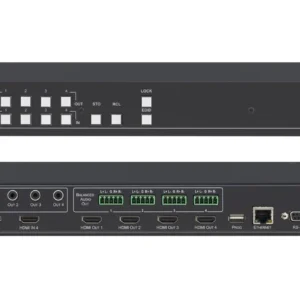
Kramer VS-44H2A 4×4 HDMI Matrix Switcher with Audio De-Embedding
Kramer VS-44H2A AV switcher supporting up to 4K at 60Hz (4:4:4), analogue and digital audio de-embedding, and Step-In over HDMI.
Chat Us to Order -
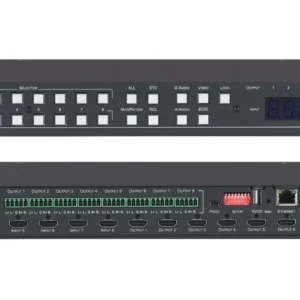
Kramer VS-88H2A 8×8 HDMI Matrix Switcher
The Kramer VS-88H2A supports up to 4K at 60Hz (4:4:4), independent analogue and digital audio routing, Step-In over HDMI, and flexible source switching.
- 4K at 60Hz resolution: Supports resolutions up to 4K at 60Hz with 4:4:4 chroma sampling.
- Independent audio routing: Routes analogue and digital audio independently to suit compatible AV installations.
- Step-In over HDMI: Supports Step-In functionality with compatible presentation equipment.
- Active source detection: Detects active sources to help manage video switching.
- Priority-based switching: Supports source selection based on configured priorities.
- Last-connected automatic switching: Allows automatic switching based on the most recently connected source.
- Manual switching: Provides manual source selection when required.
- Professional AV integration: Suitable for boardrooms, conference facilities, and presentation systems.
Chat Us to Order -
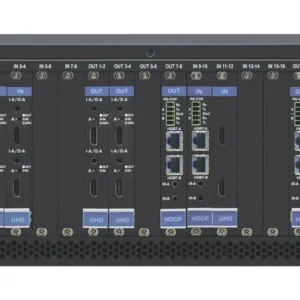
Kramer VS-1616DN-EM Modular Matrix Switcher
The Kramer VS-1616DN-EM is a modular AV matrix switcher with a maximum data rate of 10.2Gbps, mixed input/output module support, multiple control interfaces, and Kramer Network management.
Chat Us to Order -
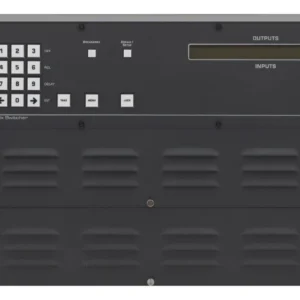
Kramer VS-3232DN-EM Modular Matrix Switcher
The Kramer VS-3232DN-EM is a modular matrix switcher with a 10.2Gbps maximum data rate, mixed input/output modules, local DVI monitor output, optional redundant power, and Kramer Network management.
KSh 0.00Chat Us to Order -
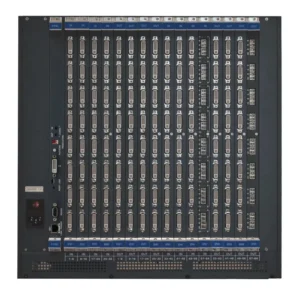
Kramer VS-6464DN-EM Modular Matrix Switcher
The Kramer VS-6464DN-EM is a modular matrix switcher featuring a 6.75Gbps maximum data rate, mixed input/output modules, local DVI monitor output, and RS-232, Ethernet, IR, and USB control.
KSh 0.00Chat Us to Order -
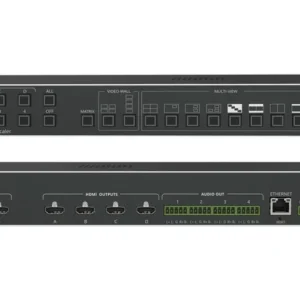
Kramer VSM-4X4X 4×4 Seamless Matrix Switcher
The Kramer VSM-4X4X supports seamless 4×4 matrix switching, video wall and multi-viewer modes, bezel correction, 4K60 4:4:4 resolution, built-in ProcAmp, and RS-232 and Ethernet control.
KSh 0.00Chat Us to Order
Video Matrix Switchers & Signal Routing
Smart Boards Kenya offers video matrix switchers and signal routing solutions for managing audio and video connections across professional AV installations. These systems allow users to connect multiple input sources to multiple displays and route signals according to their presentation, conferencing, or monitoring requirements.
Whether you are equipping a corporate boardroom, lecture hall, control room, training centre, or digital signage installation, the right matrix switcher helps simplify source selection and distribute content to compatible displays. Depending on the model, features may include HDMI switching, audio routing, scaling, control interfaces, and support for network-based AV systems.
Supported resolutions, input and output configurations, transmission distances, and control features vary by product.
Benefits of Video Matrix Switchers & Signal Routing
- Flexible source selection: Route compatible video sources to selected displays.
- Multiple-device connectivity: Connect laptops, media players, conferencing systems, and other supported AV sources.
- Multi-display management: Support installations with several screens, projectors, or interactive displays.
- Centralised AV control: Selected models support control through remote interfaces, software, or integrated room-control systems.
- Professional presentation workflows: Simplify source switching in boardrooms, classrooms, auditoriums, and training facilities.
- Scalable AV installations: Choose configurations that match your current and future input and output requirements.
Types of Video Matrix Switchers & Signal Routing Equipment
HDMI Matrix Switchers
Route multiple HDMI sources to multiple HDMI displays. For example, a 4×4 matrix typically supports four inputs and four outputs, although supported routing and simultaneous output behaviour depend on the model.
4K and High-Resolution Matrix Switchers
Support higher-resolution video workflows where compatible sources, displays, cables, and the matrix switcher meet the required specifications.
Video Scalers and Switchers
Selected devices convert or scale video signals to supported output formats and resolutions while enabling source switching.
AV-over-IP Signal Routing Systems
Distribute and route compatible audio and video streams over suitable IP networks. These systems require compatible encoders, decoders, network equipment, and configuration.
Presentation Switchers
Designed for meeting rooms, classrooms, and conference facilities, presentation switchers help users select between connected devices and send content to room displays.
Audio and Video Routing Systems
Some professional systems route audio alongside video, supporting installations that require coordinated signal management.
Control and Integration Interfaces
Selected matrix systems provide interfaces such as RS-232, Ethernet, IR, or compatible control APIs for integration with room automation and AV control platforms.
Where Can You Use Video Matrix Switchers?
- Corporate boardrooms: Switch between laptops, video conferencing systems, and presentation sources across multiple displays.
- Schools and universities: Route content from teaching computers and media players to projectors and interactive displays.
- Conference centres: Manage AV sources and displays across meeting rooms and presentation spaces.
- Control rooms: Route compatible video feeds to selected monitoring screens.
- Digital signage: Distribute supported media sources to multiple displays in commercial environments.
- Hotels and event venues: Manage presentation and video sources for conferences, training, and events.
- Training facilities: Simplify switching between demonstration equipment, computers, and shared displays.
How to Choose the Right Video Matrix Switcher
Before purchasing, consider these key factors:
- Number of inputs and outputs: Choose a configuration based on how many sources and displays you need to connect.
- Resolution and refresh rate: Verify support for the required video resolution, refresh rate, colour formats, and bandwidth.
- HDMI and HDCP compatibility: Confirm that the device supports the HDMI features and content protection requirements of your equipment.
- Audio support: Check whether embedded audio, audio extraction, or separate audio routing is required.
- Signal distance: Consider cable length and whether you need HDMI extension, fibre, or AV-over-IP connectivity.
- Scaling and conversion: Determine whether sources and displays require resolution scaling or format conversion.
- Control options: Look for suitable front-panel controls, remote control, RS-232, Ethernet, or automation integration.
- EDID management: For mixed display environments, check whether the switcher supports EDID configuration to help manage source-display compatibility.
- Installation requirements: Consider rack mounting, ventilation, power, cable management, and maintenance access.
Why Buy Video Matrix Switchers from Smart Boards Kenya?
Smart Boards Kenya helps businesses, educational institutions, and AV integrators find suitable switching and signal routing equipment for professional installations.
- Options for boardrooms, classrooms, conference facilities, and commercial AV projects.
- Solutions for connecting compatible computers, media players, projectors, and displays.
- Guidance on input/output configurations, resolution requirements, and system compatibility.
- Product options subject to availability and individual model specifications.
Contact Smart Boards Kenya
- Website: https://smartboards.co.ke
- Email: sales@smartboards.co.ke
- Phone/WhatsApp: +254 751 626 694
Contact our team for product recommendations, current availability, and quotations for your AV installation.
Frequently Asked Questions
What is a video matrix switcher?
A video matrix switcher connects multiple video sources to multiple displays and allows users to route selected sources to selected outputs.
What is the difference between an HDMI splitter and a matrix switcher?
An HDMI splitter generally sends one source to multiple displays. A matrix switcher provides more flexible routing, allowing different sources to be assigned to different outputs when supported by the model.
What does a 4×4 HDMI matrix switcher mean?
It typically means the unit has four video inputs and four outputs. The supported routing combinations and simultaneous output capabilities depend on the specific device.
Can a video matrix switcher support 4K displays?
Some models support 4K resolutions and associated refresh rates. Always verify the exact specifications and ensure that connected sources, displays, and cables are compatible.
Can a matrix switcher be integrated with a room control system?
Selected models support interfaces such as Ethernet or RS-232 and may integrate with compatible AV control systems. Confirm protocol and software compatibility before purchase.
Where can I buy video matrix switchers in Kenya?
Contact Smart Boards Kenya through smartboards.co.ke, sales@smartboards.co.ke, or +254 751 626 694 to enquire about available models, specifications, and pricing.