-
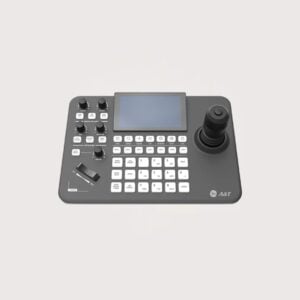
Joy Stick Controller – IP, RS 232, RS 485 protocol supported, upto 255 presets
The PTZ Joystick Controller supports IP, RS-232, and RS-485 communication for compatible cameras. Additionally, it supports up to 255 presets, making it suitable for managing camera positions in conference rooms, lecture halls, and live production environments.
KSh 137,500.00KSh 140,000.00Chat Us to OrderJoy Stick Controller – IP, RS 232, RS 485 protocol supported, upto 255 presets
KSh 137,500.00KSh 140,000.00 -
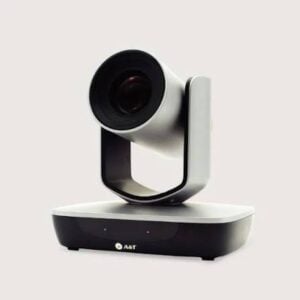
AI Tracking Camera for Lecture Tracking – Full HD, 20 X Zoom, USB, HDMI, IP with NDI
The AI Tracking Camera for Lecture Tracking delivers Full HD video with 20X zoom and intelligent presenter tracking. Additionally, it supports USB, HDMI, IP, and NDI connectivity for compatible lecture recording, video production, and live streaming systems.
KSh 239,500.00KSh 245,000.00Chat Us to OrderAI Tracking Camera for Lecture Tracking – Full HD, 20 X Zoom, USB, HDMI, IP with NDI
KSh 239,500.00KSh 245,000.00
Professional PTZ Cameras
Provide remote pan, tilt, and zoom control for capturing presenters, meeting participants, and classroom activities. Zoom range, control protocols, and output options depend on the model.
Professional Video Conferencing Cameras
Designed for meeting spaces and hybrid collaboration. They can integrate with compatible conferencing platforms and AV equipment.
Broadcast and Production Cameras
Suitable for supported studio, event, and video production workflows. Check the required video outputs, lens configuration, and production equipment compatibility.
High-Resolution Professional Cameras
Designed for applications requiring detailed image capture. Confirm supported resolutions, frame rates, and output formats for each model.
Network and IP Cameras for AV Production
Selected models transmit video over compatible IP networks, supporting network-based production and distribution workflows.
USB and HDMI Professional Cameras
Offer connectivity for compatible computers, video switchers, recorders, or displays, depending on the camera’s available interfaces.
Where Can You Use Pro Series Cameras?
- Corporate boardrooms: Capture presenters and meeting participants during hybrid meetings.
- Schools and universities: Record lectures, demonstrations, and educational presentations.
- Conference centres: Support professional presentations, seminars, and event recording.
- Broadcast and production studios: Provide video capture for compatible production workflows.
- Training facilities: Record demonstrations and instructional sessions.
- Places of worship: Support live streaming and recording where suitable equipment and connectivity are available.
- Government and institutional facilities: Support approved meetings, presentations, and communication activities.
How to Choose the Right Pro Series Camera
Before purchasing, consider the following factors:
- Intended application: Decide whether the camera is for conferencing, teaching, streaming, broadcasting, or general AV production.
- Resolution and frame rate: Verify the supported video formats and performance requirements.
- Zoom capability: Consider optical zoom and lens requirements based on room size and camera-to-subject distance.
- PTZ functionality: Determine whether remote pan, tilt, and zoom are needed.
- Connectivity: Check USB, HDMI, SDI, Ethernet, or other required interfaces.
- Streaming and control protocols: For networked systems, confirm support for the necessary streaming formats and camera-control protocols.
- Audio integration: Determine whether separate microphones and an audio system are required.
- Mounting and installation: Consider ceiling, wall, tripod, or desktop mounting and the required power and cabling.
- System compatibility: Check compatibility with conferencing software, switchers, recorders, controllers, and existing AV infrastructure.
Why Buy Pro Series Cameras from Smart Boards Kenya?
Smart Boards Kenya supports businesses, schools, institutions, and AV integrators looking for professional camera solutions for their projects.
- Camera options for meeting rooms, classrooms, studios, and professional AV environments.
- Solutions for compatible conferencing, recording, switching, and streaming systems.
- Guidance on camera selection, connectivity, and installation requirements.
- Product options subject to availability and individual model specifications.
Contact Smart Boards Kenya
- Website: https://smartboards.co.ke
- Email: sales@smartboards.co.ke
- Phone/WhatsApp: +254 751 626 694
Contact our team for product recommendations, current availability, and quotations for your professional camera setup.
Frequently Asked Questions
What are Pro Series Cameras?
Pro Series Cameras is a category name for professional camera equipment intended for applications such as video conferencing, education, production, and streaming. Exact features depend on the products listed in the category.
Are professional cameras suitable for video conferencing?
Yes. Compatible professional cameras can be integrated into conferencing systems, provided the camera, computer or room system, and software support the required connections.
What is a PTZ camera?
A PTZ camera supports remote pan, tilt, and zoom functions, allowing operators to adjust the camera view without physically repositioning the unit.
Can Pro Series Cameras be used for live streaming?
Selected models support streaming directly or through compatible computers, encoders, switchers, or production systems. Verify the model’s supported output and streaming requirements.
How do I choose a camera for a large boardroom?
Consider the room dimensions, seating layout, camera mounting position, required zoom range, viewing angles, and conferencing platform. A professional PTZ camera may be suitable, depending on these requirements.
Where can I buy Pro Series Cameras in Kenya?
Contact Smart Boards Kenya through smartboards.co.ke, sales@smartboards.co.ke, or +254 751 626 694 to enquire about available models, specifications, and pricing.